What's New in 2026-10 (Wham)
Explore the latest features and enhancements introduced in the 2026-10 (Wham) release.
🔤 Fonts & Typography
Right-to-Left Tracking and Justification
Right-to-left text now supports tracking and full justification, for Hebrew and other non-joining scripts as well as for joining scripts. Arabic, Persian, and Urdu (Naskh) paragraphs are justified using kashida, which elongates the joins inside words before adding word spacing, so justified copy looks properly typeset to native readers rather than showing oversized word gaps. Urdu Nastaliq fonts are justified using word spacing only. Output matches the editor preview, and existing RTL elements keep their current alignment.
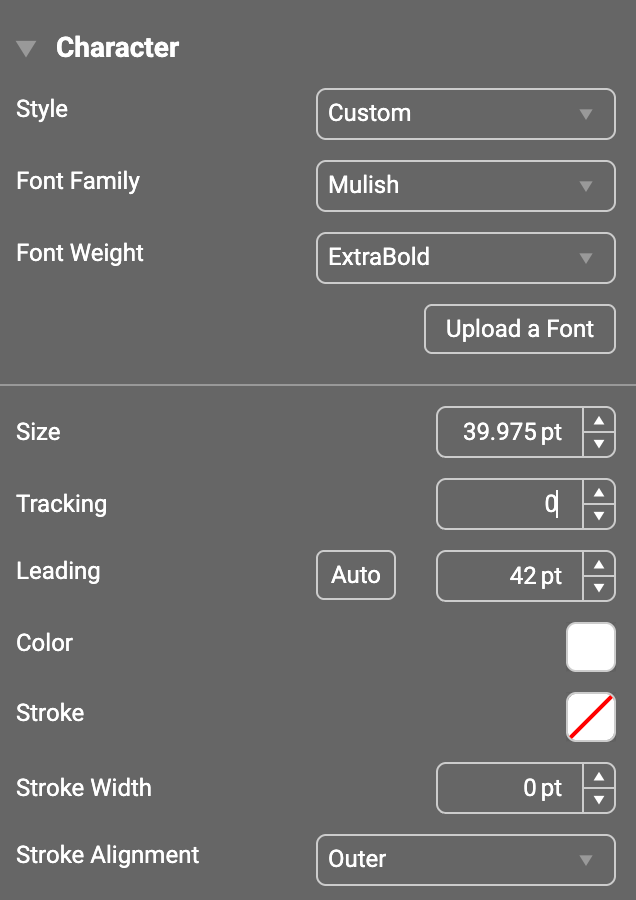
"None" as a Text and Stroke Color
Text color and stroke color can now be set to None in the Properties panel, in a named character style, and through logic. New text elements default to a stroke color of None. Named character styles have also gained stroke color, width, and alignment controls, so stroked text can be defined once in a style and reused across a template.
Natural Bold and Italic Font Faces
When a font has its own bold or italic face and no formatting options are configured, the Bold and Italic buttons are now shown, and toggling them applies the font's natural face rather than a synthesized one. The same natural faces are used when translations containing bold or italic text are imported.
Swap a Font Across Templates
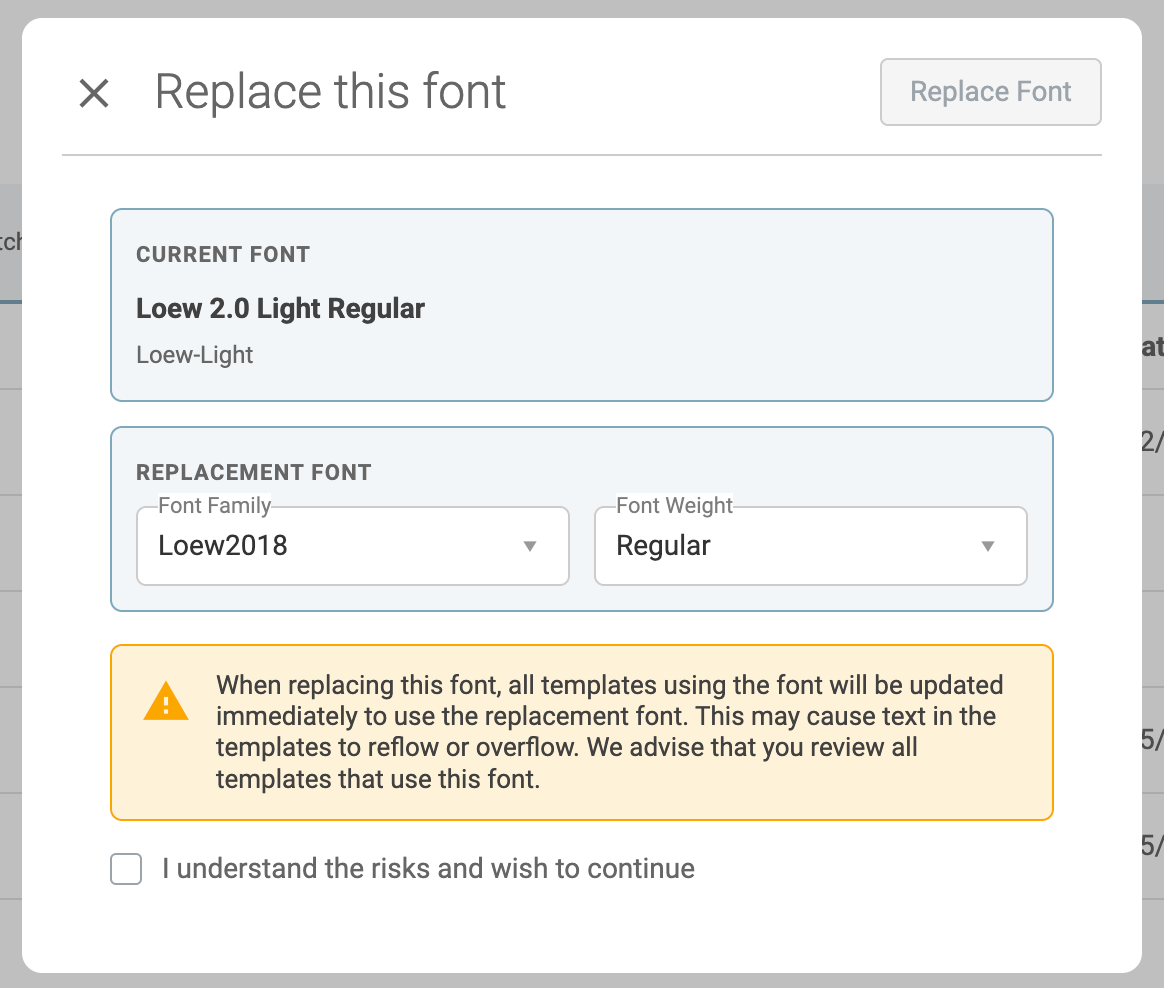
A new "Replace this font" action on the Manage Fonts page lets an administrator replace a font used in templates with another existing font, choosing the replacement by family and weight. Every template that uses the original font is updated in a single batch, without editing each template individually. A confirmation step warns that text may reflow or overflow once the replacement font is applied.
Chinese and Japanese Punctuation Compression
Chinese and Japanese punctuation, such as curly quotes, ideographic commas and full stops, and fullwidth brackets, is now compressed to half-width using the font's palt or halt OpenType feature. This matches InDesign and removes the unintended gap that appeared after these marks.
🛠️ Template Editor
Asset Picker Questions in Simple Mode
The Questions palette is now available in the simple template editor mode, with the Asset Picker question available. Template authors can add, answer, edit, and delete Asset Picker questions without switching to the full editor, and the simple mode canvas layout has been adjusted to make room for the questions panels.
Auto Populate the Nth Found Asset
Asset and Data Picker questions have a new "Auto populate nth found asset" option. Template authors choose a position, and when the template loads, the question is populated with the asset at that position in the search results. If fewer results are found, the question is left empty.
Style Mapping for Translated Dropdown Options
When a dropdown question's options are linked to translation fields, a Styles button is now shown on the question. Template authors can map the styles in the translations to the template's named styles, and the mapping applies to all of the question's linked options.
🚀 Platform & Commerce
Automatic Output Spec Selection
When a template has more than one Output Spec, a new Output Spec Selection field in the Template properties can be used to filter them, using values such as the template name, the configuration ID, or a question's answer. The Output Specs offered to the user are then narrowed to the right one automatically. Output Spec details shown on the Asset Details and Asset Settings pages have also been improved.
Zip File Preview
Previewing a static file or orderable library item that is a Zip file now lists the files it contains, showing each file's thumbnail, name, type, and size. Files that cannot be shown as a thumbnail are given an icon for their file type instead of a generic image.
Reconfiguring Changed Templates
When a user reconfigures a saved item, order, or download whose template has since changed, their original answers and asset picks are copied into the new template design and a warning asks them to review the result before continuing. If they no longer have access to the template, they are told that the configuration can no longer be reconfigured.
Brief Request Enhancements
An image of the submitted Brief Request is now shown on the request. A Brief Request can be marked "Completed" directly from "Pending", and a completed request no longer resets to "Pending".
Additional Improvements
- Notification entries can now have a start and end time as well as a date.
- The Approval details page shows the current Approval Step name alongside the Approval Chain name, and the edit pencil is disabled, with an explanation, when the approver does not have access to the asset.
- The delete dialog for users and assets now names the item being deleted.
- The default "Admin" role on an account has been renamed "Tech Support".
- Reporting now identifies users who have been deleted and records the AI tokens used, so reports can show AI usage over time.
- Administrators can now connect their account's AI features to their own AI provider account (Anthropic, OpenAI, Azure OpenAI, or Google Gemini) instead of the built-in AI service. This is an early step towards opening up Brandgility to more AI integrations.